Get Started with docsfy
You want a working docsfy server quickly so you can sign in, run one real generation, and confirm the full flow before you tune anything else. This guide takes you from a fresh checkout to a browsable docs site with the shortest supported path.
Prerequisites
- Docker with Compose
- A Git repository URL you want to document
- An
ADMIN_KEYyou can store in.envwith at least 16 characters - At least one working
cursor,claude, orgeminimodel in the environment where docsfy runs
Quick Example
git clone https://github.com/myk-org/docsfy.git
cd docsfy
cp .env.example .env
ADMIN_KEY=change-this-to-a-16-plus-character-password
SECURE_COOKIES=false
docker compose up --build -d
curl http://localhost:800/health
Open http://localhost:800/login, sign in as admin with the same ADMIN_KEY, then start a generation for https://github.com/myk-org/for-testing-only.
| Field | Value |
|---|---|
| Username | admin |
| Password | your ADMIN_KEY |
| Repository URL | https://github.com/myk-org/for-testing-only |
| Branch | main |
| Repository Type | Auto-detect |
| Force full regeneration | off |
Note: This quick example uses plain local HTTP, so
SECURE_COOKIES=falseis required for the browser session to stick onhttp://localhost.
Step-by-step
- Prepare your local config.
cp .env.example .env
Set these values first:
ADMIN_KEY=change-this-to-a-16-plus-character-password
SECURE_COOKIES=false
Leave the checked-in AI defaults alone for your first run unless you already know you need a different provider or model. Do not commit .env.
| Where you open docsfy | SECURE_COOKIES |
|---|---|
http://localhost:800 |
false |
| HTTPS deployment | true |
Warning: The server refuses to start if
ADMIN_KEYis missing or shorter than 16 characters.
- Start the server.
docker compose up --build -d
curl http://localhost:800/health
When the health check succeeds, docsfy is ready at http://localhost:800. The Compose setup also mounts ./data into the container, so your database and generated docs survive restarts.
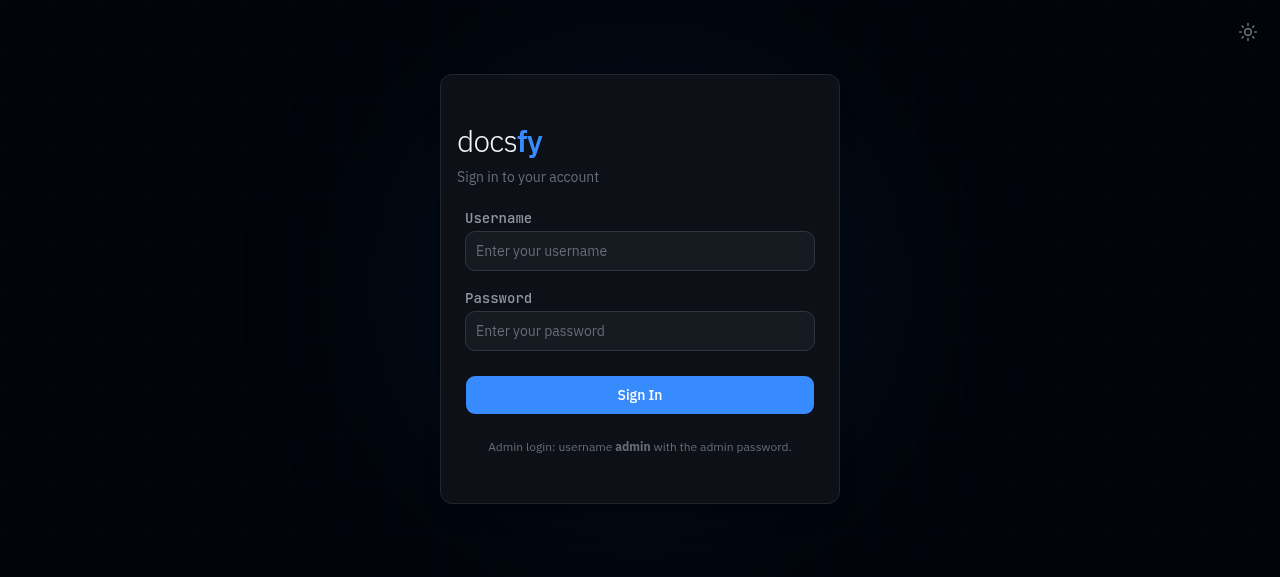
- Sign in as the built-in admin.
Open http://localhost:800/login and enter the same values you just configured.
| Field | Value |
|---|---|
| Username | admin |
| Password | your ADMIN_KEY |
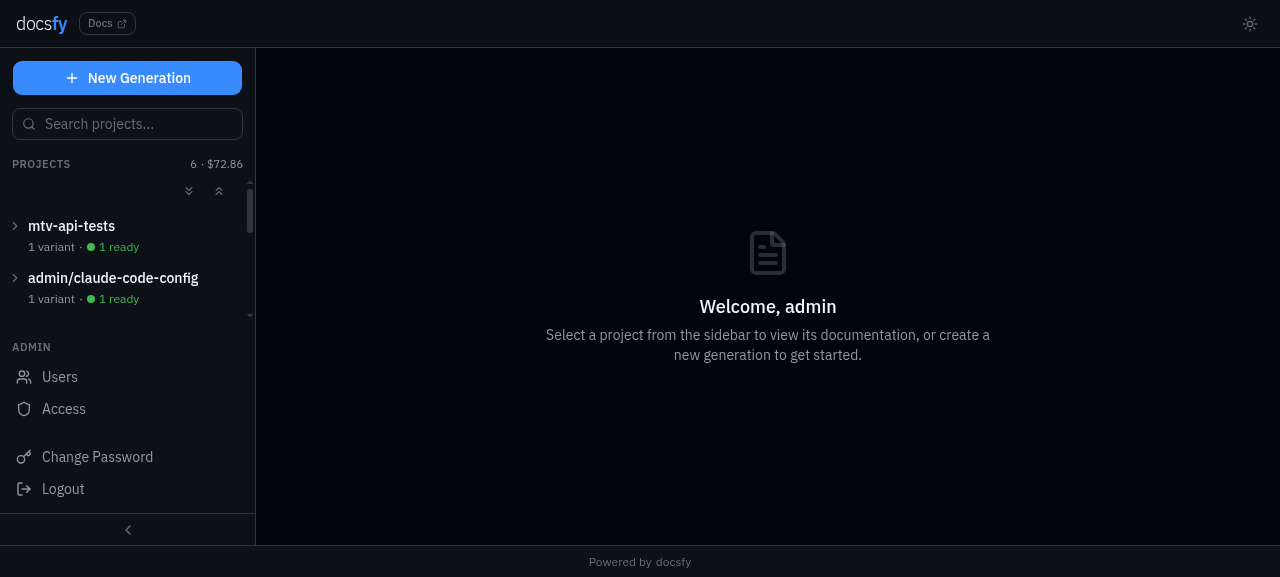
After sign-in, you land on the dashboard and can start a generation right away.
- Start your first generation.
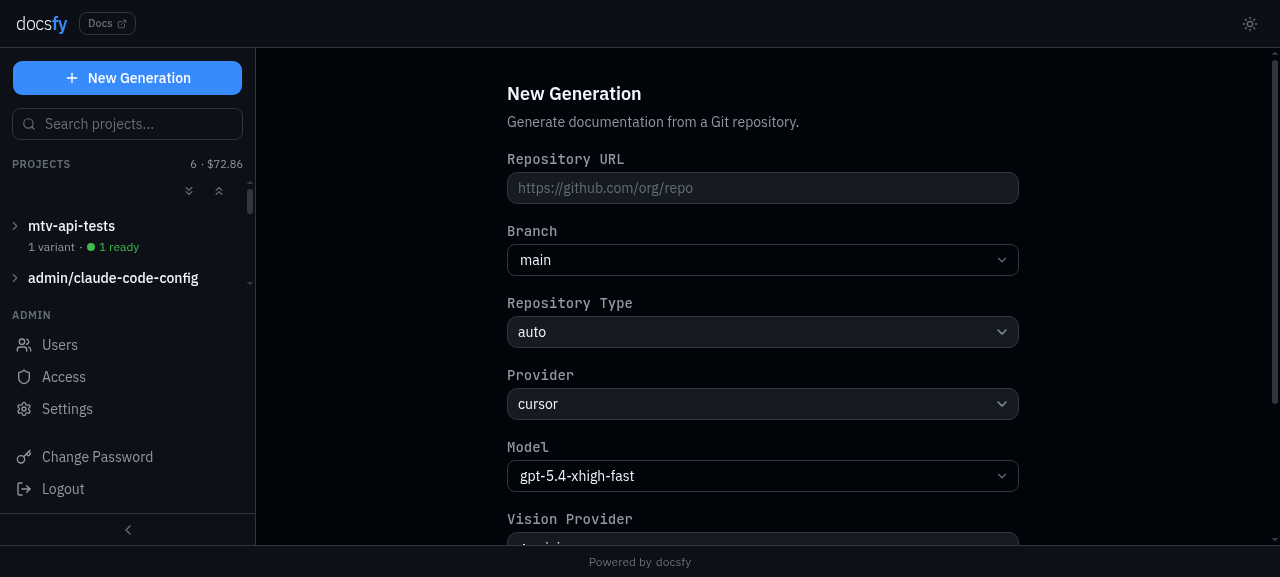
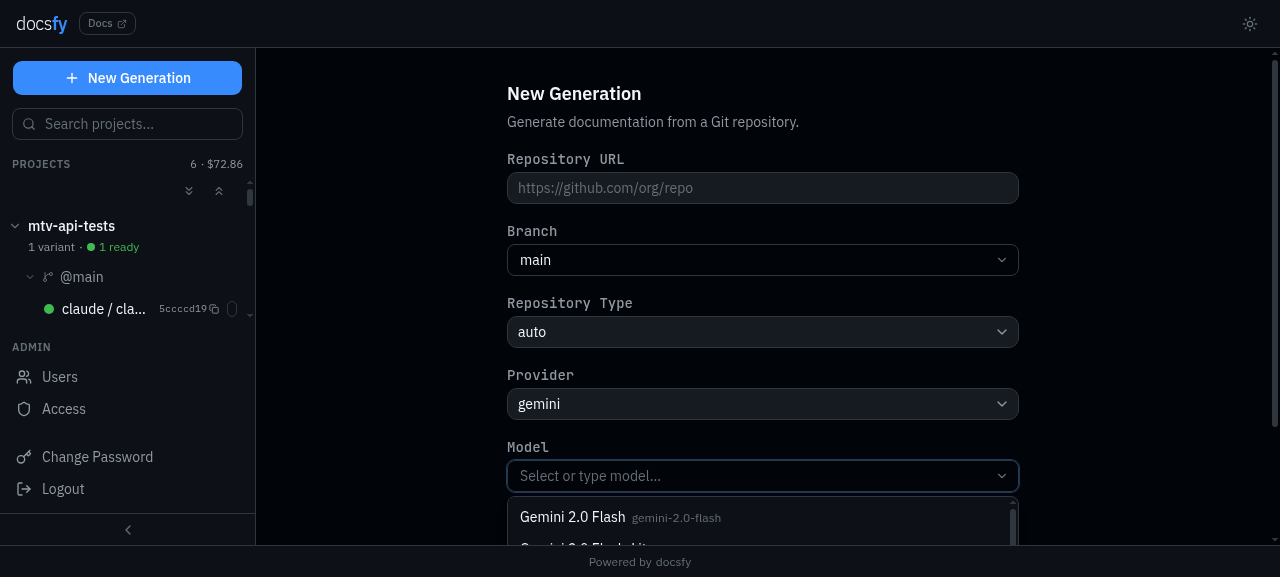
Use a small public repository for the easiest first run. In New Generation, enter these values and click Generate.
Repository URL: https://github.com/myk-org/for-testing-only
Branch: main
Repository Type: Auto-detect
Provider: cursor
Model: gpt-5.4-xhigh-fast
Force full regeneration: off
Leave Repository Type on Auto-detect and keep Force full regeneration off for this first pass. See Generate Documentation for the full field-by-field guide.
- Wait for the run to finish.
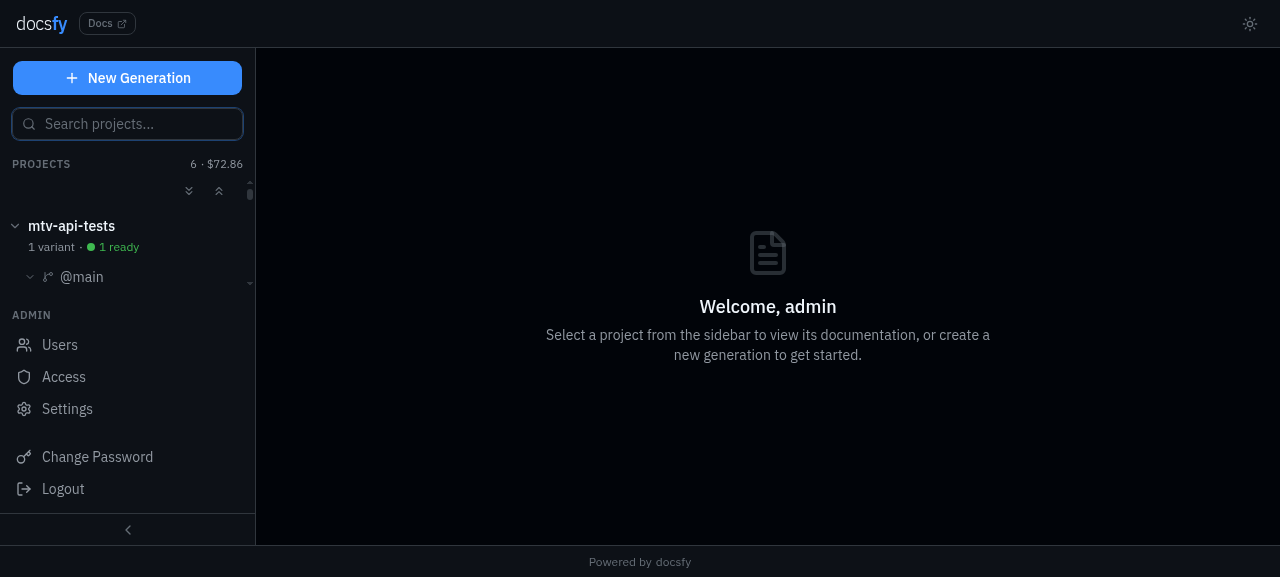
docsfy opens the new variant view and updates it as the run progresses. When the status becomes Ready, use View Documentation to open the generated site.
See Track Generation Progress if you want the meaning of each stage or need to monitor a longer run.
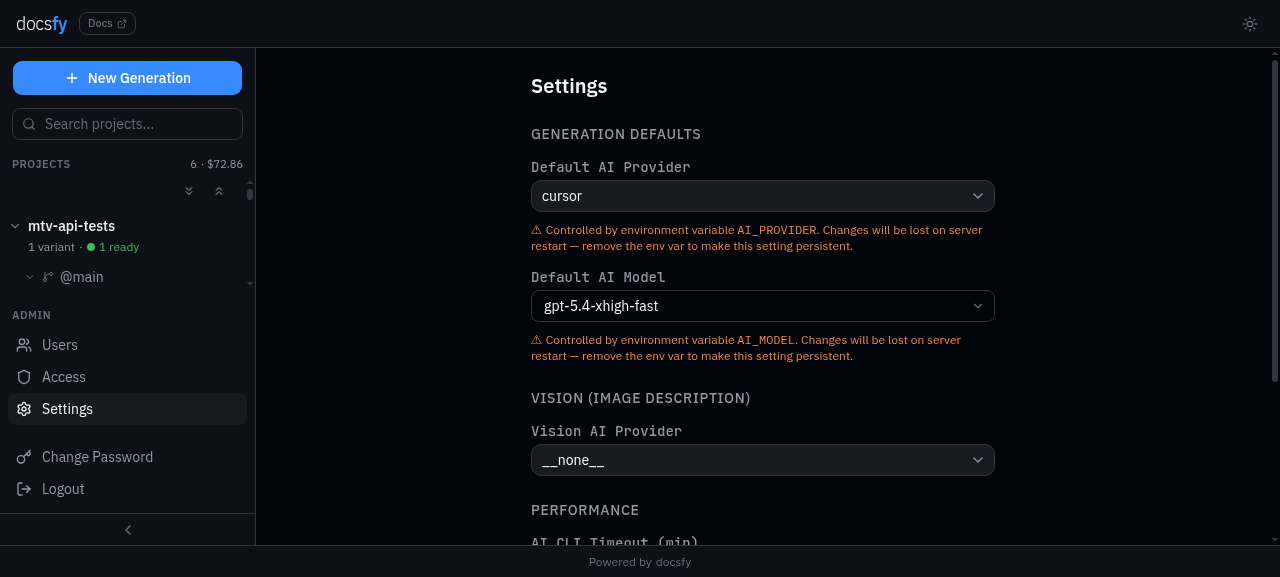
Once the project appears in the sidebar, you can expand it to see the branch and model variant that was generated.
- Open your docs site.
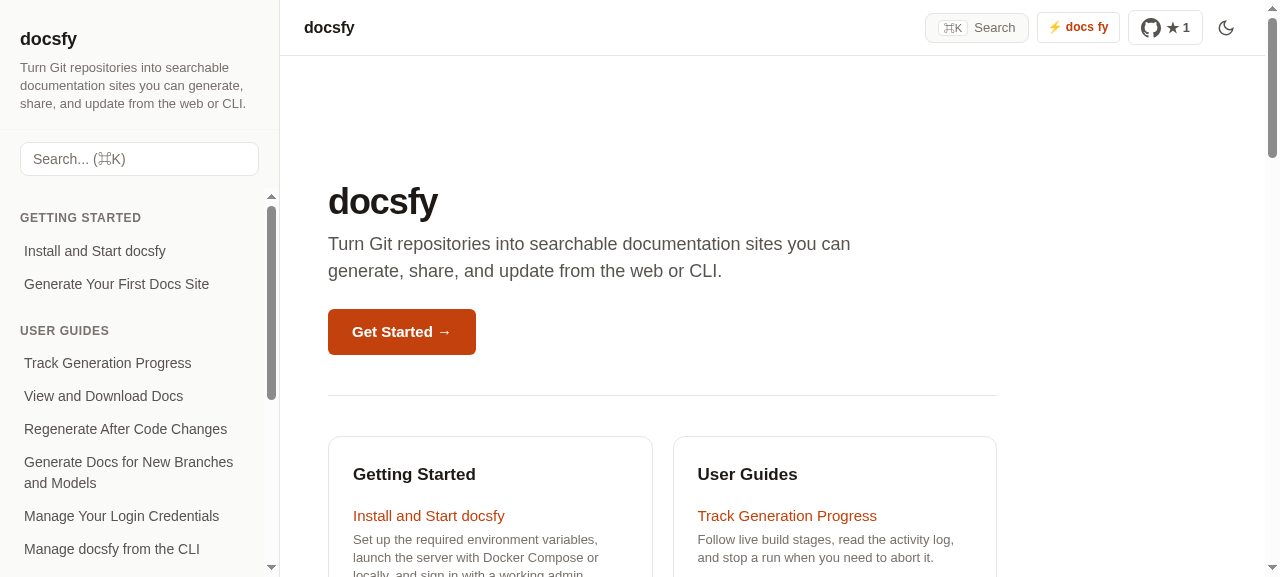
Click View Documentation to open the finished site in a new tab. You should see a homepage with sidebar navigation and links for the pages docsfy generated from your repository.
See Browse and Download Docs when you want direct doc URLs, downloadable artifacts, or the generated llms.txt files.
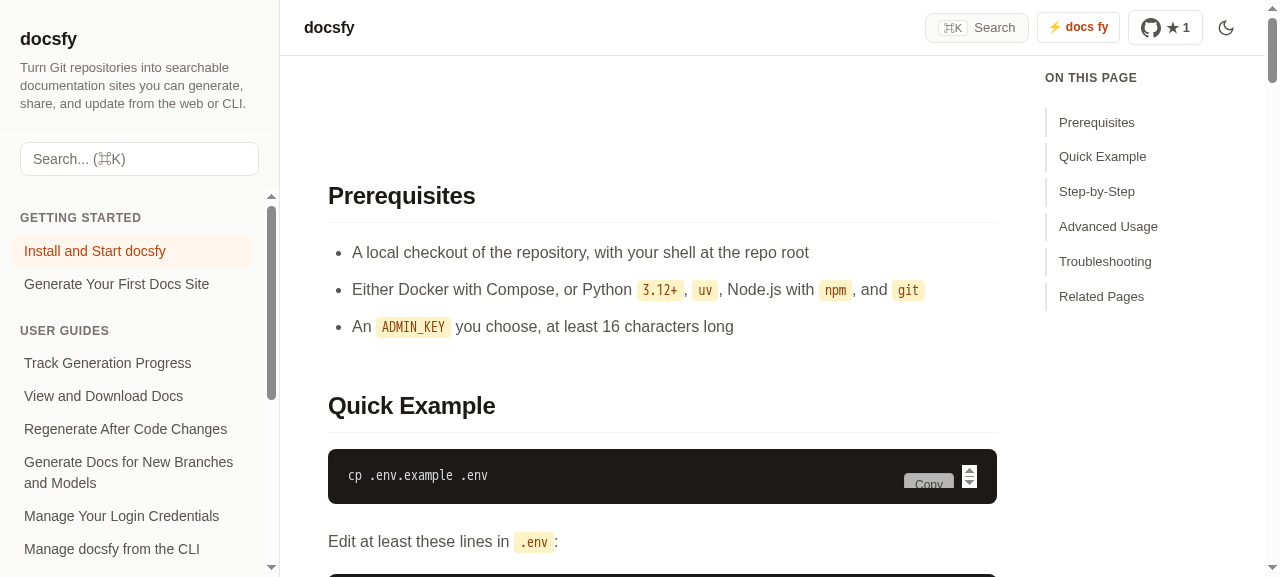
Open any page from the sidebar to confirm that the generated content rendered cleanly.
Advanced Usage
- Keep the defaults for your first run, then switch providers or models only if your environment is already set up for them. See Configure AI Providers and Models for model refresh, provider setup, and vision options.
- For your first run, leave Repository Type on Auto-detect. If docsfy guesses wrong or you want to force a different documentation style, see Generate Documentation.
- Keep Force full regeneration off unless you need a clean rebuild. See Regenerate After Code Changes for when to use it.
- If you switch providers, the model picker updates to show the models docsfy knows about for that provider.
- If you want a terminal-first workflow after this browser setup, see Set Up the CLI. For copy-paste command patterns, see Run Common CLI Workflows.
- If you want to run docsfy outside Docker or prepare a longer-lived environment, see Deploy docsfy.
Troubleshooting
- If the container exits immediately, re-check
.env.ADMIN_KEYis required and must be at least 16 characters long. - If you can load the login page but keep getting sent back to
/loginonhttp://localhost, setSECURE_COOKIES=false, restart the stack, and sign in again. - If
curl http://localhost:800/healthnever succeeds, rundocker compose logs -f docsfyand fix the startup error before trying to sign in. - If the server is healthy but generation fails quickly, the selected provider or model is not ready in the environment running docsfy. See Configure AI Providers and Models.
- If the repository URL is rejected, use a full hosted Git URL such as
https://github.com/myk-org/for-testing-only.gitorgit@github.com:myk-org/for-testing-only.git.# Get Started with docsfy
You want a working docsfy server quickly so you can sign in, run one real generation, and confirm the full flow before you tune anything else. This guide takes you from a fresh checkout to a browsable docs site with the shortest supported path.
Prerequisites
- Docker with Compose
- A Git repository URL you want to document
- An
ADMIN_KEYyou can store in.envwith at least 16 characters - At least one working
cursor,claude, orgeminimodel in the environment where docsfy runs
Quick Example
git clone https://github.com/myk-org/docsfy.git
cd docsfy
cp .env.example .env
ADMIN_KEY=change-this-to-a-16-plus-character-password
SECURE_COOKIES=false
docker compose up --build -d
curl http://localhost:8000/health
Open http://localhost:8000/login, sign in as admin with the same ADMIN_KEY, then start a generation for https://github.com/myk-org/for-testing-only.
| Field | Value |
|---|---|
| Username | admin |
| Password | your ADMIN_KEY |
| Repository URL | https://github.com/myk-org/for-testing-only |
| Branch | main |
| Repository Type | Auto-detect |
| Force full regeneration | off |
Note: This quick example uses plain local HTTP, so
SECURE_COOKIES=falseis required for the browser session to stick onhttp://localhost.
Step-by-step
- Prepare your local config.
cp .env.example .env
Set these values first:
ADMIN_KEY=change-this-to-a-16-plus-character-password
SECURE_COOKIES=false
Leave the checked-in AI defaults alone for your first run unless you already know you need a different provider or model. Do not commit .env.
| Where you open docsfy | SECURE_COOKIES |
|---|---|
http://localhost:8000 |
false |
| HTTPS deployment | true |
Warning: The server refuses to start if
ADMIN_KEYis missing or shorter than 16 characters.
- Start the server.
docker compose up --build -d
curl http://localhost:8000/health
When the health check succeeds, docsfy is ready at http://localhost:8000. The Compose setup also mounts ./data into the container, so your database and generated docs survive restarts.
- Sign in as the built-in admin.
Open http://localhost:8000/login and enter the same values you just configured.
| Field | Value |
|---|---|
| Username | admin |
| Password | your ADMIN_KEY |
After sign-in, you land on the dashboard and can start a generation right away.
- Start your first generation.
Use a small public repository for the easiest first run. In New Generation, enter these values and click Generate.
Repository URL: https://github.com/myk-org/for-testing-only
Branch: main
Repository Type: Auto-detect
Provider: cursor
Model: gpt-5.4-xhigh-fast
Force full regeneration: off
Leave Repository Type on Auto-detect and keep Force full regeneration off for this first pass. See Generate Documentation for the full field-by-field guide.
- Wait for the run to finish.
docsfy opens the new variant view and updates it as the run progresses. When the status becomes Ready, use View Documentation to open the generated site.
See Track Generation Progress if you want the meaning of each stage or need to monitor a longer run.
Once the project appears in the sidebar, you can expand it to see the branch and model variant that was generated.
- Open your docs site.
Click View Documentation to open the finished site in a new tab. You should see a homepage with sidebar navigation and links for the pages docsfy generated from your repository.
See Browse and Download Docs when you want direct doc URLs, downloadable artifacts, or the generated llms.txt files.
Open any page from the sidebar to confirm that the generated content rendered cleanly.
Advanced Usage
- Keep the defaults for your first run, then switch providers or models only if your environment is already set up for them. See Configure AI Providers and Models for model refresh, provider setup, and vision options.
- For your first run, leave Repository Type on Auto-detect. If docsfy guesses wrong or you want to force a different documentation style, see Generate Documentation.
- Keep Force full regeneration off unless you need a clean rebuild. See Regenerate After Code Changes for when to use it.
- If you switch providers, the model picker updates to show the models docsfy knows about for that provider.
- If you want a terminal-first workflow after this browser setup, see Set Up the CLI. For copy-paste command patterns, see Run Common CLI Workflows.
- If you want to run docsfy outside Docker or prepare a longer-lived environment, see Deploy docsfy.
Troubleshooting
- If the container exits immediately, re-check
.env.ADMIN_KEYis required and must be at least 16 characters long. - If you can load the login page but keep getting sent back to
/loginonhttp://localhost, setSECURE_COOKIES=false, restart the stack, and sign in again. - If
curl http://localhost:8000/healthnever succeeds, rundocker compose logs -f docsfyand fix the startup error before trying to sign in. - If the server is healthy but generation fails quickly, the selected provider or model is not ready in the environment running docsfy. See Configure AI Providers and Models.
- If the repository URL is rejected, use a full hosted Git URL such as
https://github.com/myk-org/for-testing-only.gitorgit@github.com:myk-org/for-testing-only.git.