Run Common CLI Workflows
These recipes cover the terminal tasks you will repeat most often once docsfy is installed. Paste them as-is, then follow the linked guide when you need the full workflow behind a command.
Save a CLI profile and confirm it works
Use this when you want repeatable CLI access without retyping your server URL and API key for every command.
read -rsp "docsfy admin key: " DOCSFY_KEY && echo
printf '%s\n%s\n%s\n%s\n' \
  dev \
  http://localhost:800 \
  admin \
  "$DOCSFY_KEY" \
  | docsfy config init

docsfy config show
docsfy health
This creates a dev profile, saves your credentials, shows the masked result, and confirms the server is reachable. Use it once per workstation, then reuse the saved profile for the rest of the recipes on this page. See Set Up the CLI for details.
- Use
docsfy config set default.server devto switch the default profile later. - For one-off commands against another server, add
--host,--port,-u, and-pdirectly on the command line.
Start a generation and watch it finish
Use this when you want one command that starts a docs run and keeps streaming progress until it is done.
docsfy generate https://github.com/myk-org/docsfy.git --branch main --watch
This starts a generation for the main branch and prints live progress until the run ends in ready, error, or aborted. It uses the server's default provider and model if you do not pass them explicitly. See Generate Documentation and Track Generation Progress for details.
- Add
--provider cursor --model gpt-5if you want to override the server defaults. - Add
--forcewhen you want a full rebuild instead of reusing an existing variant.
Check one run by generation ID
Use this when a project has many variants and you want the exact status for one specific run.
GEN_ID="$(
  docsfy generate https://github.com/myk-org/docsfy.git --branch main \
    | awk -F': ' '/Generation ID:/ {print $2}'
)"

docsfy status "$GEN_ID"
This starts a run, captures the generated UUID from the CLI output, and then asks for status using that exact ID. It is especially useful when the same repository exists under multiple branches, providers, models, or owners. See Manage Projects and Variants for details.
- Add
--jsontodocsfy status "$GEN_ID"if you want machine-readable output. - You can also pass a generation ID to
docsfy abort,docsfy delete, anddocsfy download.
Download a ready variant into a flat folder
Use this when you want a clean local directory that contains the generated site files directly at the top level.
GEN_ID="$(
  docsfy generate https://github.com/myk-org/docsfy.git --branch main --watch \
    | awk -F': ' '/Generation ID:/ {print $2}'
)"

docsfy download "$GEN_ID" --output ./docsfy-site --flatten
This waits for a generation to finish, then downloads that exact run and extracts it into ./docsfy-site without leaving the nested archive directory in place. It is a good fit for quick previews, static hosting, or handing the generated site to another tool. See Browse and Download Docs for details.
- Omit
--flattenif you want to keep the archive's top-level directory structure. -
Warning:
--flattenonly works when you also pass--output.
Create a viewer and share one project
Use this when you want to give someone read-only access to an existing project's variants.
docsfy admin users create qa-viewer --role viewer
docsfy admin access grant docsfy --username qa-viewer --owner admin
docsfy admin access list docsfy --owner admin
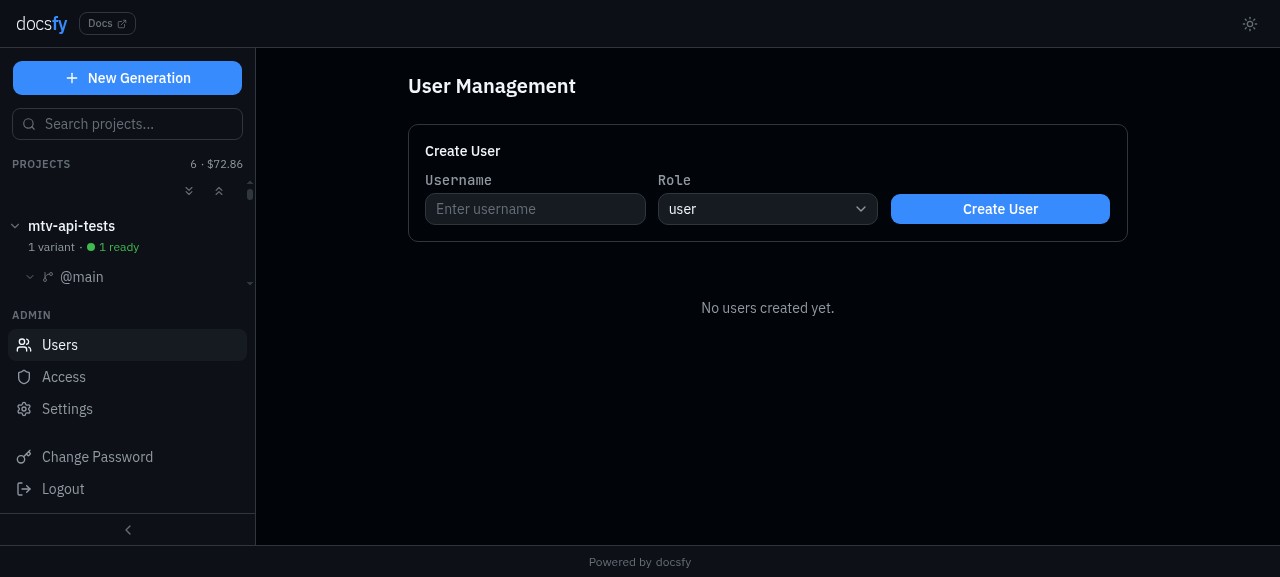
The first command creates the user and prints their API key, the second shares every docsfy variant owned by admin, and the third confirms the access list. This is the fastest way to onboard someone who needs to inspect docs but should not start, abort, or delete runs. See Manage Users and Access for details.
- Save the API key from
users createimmediately; it is only shown once. - Use
--role userinstead of--role viewerif the person should be allowed to regenerate or delete variants.
Rotate a user's key and remove their project access
Use this when someone loses a key, changes teams, or should stop seeing a shared project.
docsfy admin users rotate-key qa-viewer
docsfy admin access revoke docsfy --username qa-viewer --owner admin
docsfy admin users list
This prints a fresh API key for qa-viewer, revokes that user's shared access to the admin copy of docsfy, and then shows the current user list for a quick check. Rotating the key is also the right move when you want to invalidate the user's existing sessions. See Manage Users and Access for details.
- Run
docsfy admin access list docsfy --owner adminafterward if you want to verify that the grant is gone. -
Warning:
rotate-keyshows the new key once, so copy it before you close the terminal.
Find only the variants you care about
Use this when your server has enough projects that a full list output is too noisy.
docsfy list --status generating
docsfy list --provider cursor
docsfy status docsfy
These commands narrow the project table to active runs or one provider, then show every variant for a single project. This is the quickest way to spot in-progress jobs before you decide whether to watch, abort, or delete them. See Manage Projects and Variants and CLI Command Reference for details.
- Valid
--statusfilters are the same statuses you see in the UI, such asgeneratingandready. - Use
docsfy status <GENERATION_ID>when the project name alone is not specific enough.# Run Common CLI Workflows
These recipes cover the terminal tasks you will repeat most often once docsfy is installed. Paste them as-is, then follow the linked guide when you need the full workflow behind a command.
Save a CLI profile and confirm it works
Use this when you want repeatable CLI access without retyping your server URL and API key for every command.
read -rsp "docsfy admin key: " DOCSFY_KEY && echo
printf '%s\n%s\n%s\n%s\n' \
  dev \
  http://localhost:8000 \
  admin \
  "$DOCSFY_KEY" \
  | docsfy config init

docsfy config show
docsfy health
This creates a dev profile, saves your credentials, shows the masked result, and confirms the server is reachable. Use it once per workstation, then reuse the saved profile for the rest of the recipes on this page. See Set Up the CLI for details.
- Use
docsfy config set default.server devto switch the default profile later. - For one-off commands against another server, add
--host,--port,-u, and-pdirectly on the command line.
Start a generation and watch it finish
Use this when you want one command that starts a docs run and keeps streaming progress until it is done.
docsfy generate https://github.com/myk-org/docsfy.git --branch main --watch
This starts a generation for the main branch and prints live progress until the run ends in ready, error, or aborted. It uses the server's default provider and model if you do not pass them explicitly. See Generate Documentation and Track Generation Progress for details.
- Add
--provider cursor --model gpt-5if you want to override the server defaults. - Add
--forcewhen you want a full rebuild instead of reusing an existing variant.
Check one run by generation ID
Use this when a project has many variants and you want the exact status for one specific run.
GEN_ID="$(
  docsfy generate https://github.com/myk-org/docsfy.git --branch main \
    | awk -F': ' '/Generation ID:/ {print $2}'
)"

docsfy status "$GEN_ID"
This starts a run, captures the generated UUID from the CLI output, and then asks for status using that exact ID. It is especially useful when the same repository exists under multiple branches, providers, models, or owners. See Manage Projects and Variants for details.
- Add
--jsontodocsfy status "$GEN_ID"if you want machine-readable output. - You can also pass a generation ID to
docsfy abort,docsfy delete, anddocsfy download.
Download a ready variant into a flat folder
Use this when you want a clean local directory that contains the generated site files directly at the top level.
GEN_ID="$(
  docsfy generate https://github.com/myk-org/docsfy.git --branch main --watch \
    | awk -F': ' '/Generation ID:/ {print $2}'
)"

docsfy download "$GEN_ID" --output ./docsfy-site --flatten
This waits for a generation to finish, then downloads that exact run and extracts it into ./docsfy-site without leaving the nested archive directory in place. It is a good fit for quick previews, static hosting, or handing the generated site to another tool. See Browse and Download Docs for details.
- Omit
--flattenif you want to keep the archive's top-level directory structure. -
Warning:
--flattenonly works when you also pass--output.
Create a viewer and share one project
Use this when you want to give someone read-only access to an existing project's variants.
docsfy admin users create qa-viewer --role viewer
docsfy admin access grant docsfy --username qa-viewer --owner admin
docsfy admin access list docsfy --owner admin
The first command creates the user and prints their API key, the second shares every docsfy variant owned by admin, and the third confirms the access list. This is the fastest way to onboard someone who needs to inspect docs but should not start, abort, or delete runs. See Manage Users and Access for details.
- Save the API key from
users createimmediately; it is only shown once. - Use
--role userinstead of--role viewerif the person should be allowed to regenerate or delete variants.
Rotate a user's key and remove their project access
Use this when someone loses a key, changes teams, or should stop seeing a shared project.
docsfy admin users rotate-key qa-viewer
docsfy admin access revoke docsfy --username qa-viewer --owner admin
docsfy admin users list
This prints a fresh API key for qa-viewer, revokes that user's shared access to the admin copy of docsfy, and then shows the current user list for a quick check. Rotating the key is also the right move when you want to invalidate the user's existing sessions. See Manage Users and Access for details.
- Run
docsfy admin access list docsfy --owner adminafterward if you want to verify that the grant is gone. -
Warning:
rotate-keyshows the new key once, so copy it before you close the terminal.
Find only the variants you care about
Use this when your server has enough projects that a full list output is too noisy.
docsfy list --status generating
docsfy list --provider cursor
docsfy status docsfy
These commands narrow the project table to active runs or one provider, then show every variant for a single project. This is the quickest way to spot in-progress jobs before you decide whether to watch, abort, or delete them. See Manage Projects and Variants and CLI Command Reference for details.
- Valid
--statusfilters are the same statuses you see in the UI, such asgeneratingandready. - Use
docsfy status <GENERATION_ID>when the project name alone is not specific enough.